
On this page 10 sections
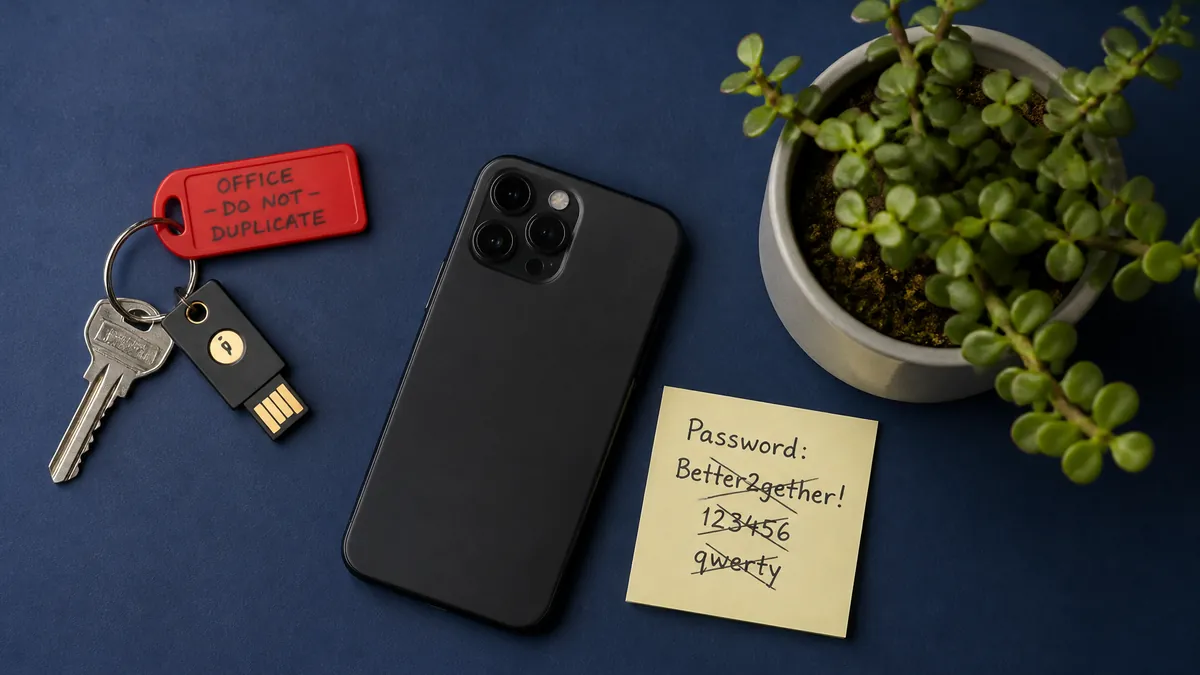
MFA (multi-factor authentication) means signing in with your password plus a second proof that it is really you, such as a code from an app on your phone or a tap on a security key. 2FA (two-factor authentication) is the most common type of MFA, and for a business it is one of the cheapest ways to stop someone with a stolen password from getting into your email, bank or website.
Short answer
- MFA asks for your password plus at least one more proof, such as your phone, a security key or your fingerprint.
- 2FA is MFA with exactly two proofs. Most people use the two terms for the same thing.
- In a Microsoft study of its business accounts, MFA cut the risk of an account being taken over by 99.22%.
- Not all methods are equal: SMS codes are better than nothing, an authenticator app is better, and passkeys or security keys are best.
- Microsoft 365 and Google Workspace both include MFA at no extra cost. Switch it on for every user, starting with admins.
What is MFA, in plain English?
The US Cybersecurity and Infrastructure Security Agency (CISA) describes MFA as a layered approach: you must give two or more proofs before a service lets you in. Those proofs come from three groups:
- Something you know: a password or PIN.
- Something you have: your phone, an authenticator app or a small USB security key.
- Something you are: your fingerprint or face. A password alone is one factor. A password and a "secret question" is still one factor, because both are things you know. Real MFA mixes groups, so a criminal who steals your password still needs your phone or your face.
MFA vs 2FA vs 2-Step Verification
| Term | What it means | Where you will see it |
|---|---|---|
| MFA (multi-factor authentication) | Two or more proofs from different groups | Microsoft 365, banks, security guides |
| 2FA (two-factor authentication) | Exactly two proofs, usually password plus phone | Social media, website admin logins |
| 2-Step Verification (2SV) | Google's and some other vendors' name for 2FA | Google Workspace, Gmail |
For a business owner, the difference does not matter much. What matters is which second proof you choose, because some are much stronger than others.
Why business owners should care
Stolen and guessed passwords are still a common way in. Verizon's 2026 Data Breach Investigations Report found that credential abuse (using stolen or guessed logins) was the first step in 13% of breaches, and phishing in 16%. For small and medium businesses, the figures were 13% and 9%.
In South Africa, SABRIC reported R2.41 billion in digital banking crime claims in 2025, driven mainly by social engineering and customer compromise. Many of these scams work by tricking people into handing over a login or a one-time PIN.
MFA does not stop every attack, but it raises the bar a lot. In a 2023 Microsoft Research study, MFA reduced the risk of compromise by 99.22%, and by 98.56% even where the password had already leaked.
There is a legal angle too. Section 19 of POPIA requires businesses to take "appropriate, reasonable technical and organisational measures" to protect personal information. MFA on the systems that hold customer data is a simple, low-cost measure to put on that list. (This is general information, not legal advice.)
The common types of MFA, from weakest to strongest
| Method | How it works | Strength |
|---|---|---|
| SMS or voice code | A code is sent to your phone number | Weakest, but better than nothing |
| Email code | A code is sent to your inbox | Weak if the same email is the account at risk |
| Authenticator app code | An app such as Microsoft Authenticator or Google Authenticator shows a code that changes every 30 seconds | Good |
| Push approval with number matching | You type the number shown on screen into the app to approve | Good |
| Passkey or security key | Your device or a USB/NFC key proves who you are, often with your fingerprint or face | Strongest, phishing-resistant |
CISA's own advice is that any MFA is better than no MFA, but that phishing-resistant methods are the standard to aim for.
Why SMS codes are the weakest option
SMS codes travel over the phone network and are tied to your number, not your phone. In a SIM swap, a criminal convinces a network to move your number to their SIM card, and then receives your codes. SABRIC warns that losing signal where you normally have it can be a sign of a SIM swap, and that you should never give an OTP to anyone over the phone.
The US standards body NIST now lists SMS and voice codes as a "restricted" method in its 2025 digital identity guidelines. Services that use them must also offer a stronger option.
Watch out for MFA fatigue
Some attackers who already have a password send push prompt after push prompt, hoping you will tap "Approve" just to make it stop. CISA calls this "push bombing". Number matching fixes most of it, because you cannot approve without the number shown on the real login screen. The rule for staff is simple: never approve a sign-in you did not start.
Where to switch on MFA first
Start with the accounts that unlock everything else:
- Email, especially admin accounts. Whoever controls your email can reset almost every other password.
- Online banking and payment platforms.
- Your domain name and DNS account. If someone takes this over, they can redirect your website and email.
- Website admin logins, such as WordPress or your hosting control panel.
- Accounting and payroll systems.
- Social media accounts used for the business.
- Your password manager and any remote access or VPN.
How to roll out MFA in a small business
Microsoft 365
All Microsoft 365 plans include basic MFA at no extra cost through a setting called security defaults. It uses the Microsoft Authenticator app. If you need more control, such as different rules for different staff, Microsoft 365 Business Premium includes Microsoft Entra ID P1, which adds Conditional Access.
Google Workspace
In the Admin console, go to Security > Authentication > 2-step verification. Google suggests allowing it first, helping staff enrol, then enforcing it. You can give new staff an enrolment period of between 1 day and 6 months, block text and phone-call codes, or require security keys and passkeys.
Your own systems and internal tools
Older internal apps often have no MFA at all. A tool such as Cloudflare Access can sit in front of them and ask for an extra step, using an authenticator app, a security key, or Touch ID, Face ID or Windows Hello. If you are new to Cloudflare, read what Cloudflare is, or see our Cloudflare setup and support. If you build your own web app, MFA should be part of the login from day one, which is part of our software development work.
A simple rollout plan
- Tell staff what is changing, why, and the deadline.
- Turn it on for admins first, then everyone else.
- Help each person set up an authenticator app or passkey.
- Store backup codes somewhere safe, not in the same email account.
- Give admins two security keys, one kept as a spare.
- Agree what happens when someone loses their phone.
Which MFA method should you choose?
| Situation | Best choice |
|---|---|
| Admin accounts, finance, domain and DNS | Passkeys or security keys |
| Everyday staff email and apps | Authenticator app with number matching, or passkeys |
| A service that only offers SMS | Use SMS for now, and switch when a better option appears |
| Shared logins | Stop sharing. Give each person their own login and MFA |
| Old internal tools with no MFA | Put them behind an access tool that adds MFA |
Common mistakes to avoid
- Only the owner has MFA, while staff and old admin accounts do not.
- One shared phone receives the codes for everyone.
- Backup codes saved in the same inbox they are meant to protect.
- Approving a prompt you did not expect.
- Leaving accounts of former staff active.
Get help setting up MFA
If you are not sure which accounts are exposed, or you want MFA on internal tools without rebuilding them, our security and networking team can review your logins and set it up, and our Cloud & DevOps team can add access controls in front of older systems. Get in touch and tell us which systems your business relies on.
Facts checked on 27 October 2026. Sources: CISA (opens in a new window), Microsoft Research (opens in a new window), Verizon 2026 DBIR (opens in a new window), SABRIC 2025 (opens in a new window), NIST SP 800-63B-4 (opens in a new window), POPIA section 19 (opens in a new window), Microsoft Learn (opens in a new window), Google Workspace Help (opens in a new window).
Microsoft 365, Microsoft Entra and Microsoft Authenticator are trademarks of Microsoft Corporation. Google Workspace and Google Authenticator are trademarks of Google LLC. Cloudflare is a trademark of Cloudflare, Inc.